Forsaken Private Server Guide 2026: Free Servers, Commands & VC
Forsaken private server guide 2026: how to claim a free private server, full command list, badge limitations, VC servers, and what private servers are best for.
Private servers are the single most useful tool in Forsaken for learning maps, testing matchups, and running a controlled lobby with friends, and as of 2026, you can claim one for free from inside the experience. This forsaken private server guide 2026 is the consolidated walkthrough I wish I had when I started running custom lobbies last summer. I am Sukie, and I have spent enough hours in Forsaken private servers — and enough Robux on the older paid version, to have a clear opinion on what they are actually for. A private server is a Roblox-platform feature: a separate instance of the Forsaken experience that only people you invite can join. It is not a hack, it is not a third-party tool, and it is not something you have to pay a sketchy website to unlock. In this guide I will walk through what private servers are, how to claim one for free, the commands worth knowing, what does and does not count inside them (badges, leaderboards, milestone XP), where to find working private server codes, how voice chat servers work, and the practice routines that actually translate into public-match wins. I will keep linking out to the two deep-dive companions for forsaken private server commands and badges so I am not repeating myself.
What a Forsaken Private Server Actually Is
A Forsaken private server is a private game instance hosted by Roblox on the Forsaken experience. When you start one, Roblox spins up its own server with a unique join link, and only players with that link (or who you have invited from your friends list) can connect. The experience itself is identical, same maps, same characters, same matchmaking pipeline inside the lobby — but the public matchmaking pool cannot pull strangers into your instance. That is the whole feature in one sentence.
What it is not
Several myths float around the Forsaken community about private servers. Most of them come from YouTube thumbnails promising things that are not real:
- •A private server is not a "hack." Any site or video that says "download our Forsaken private server tool" is at best lying for clicks and at worst trying to install something on your machine. The legitimate feature is built into the Roblox experience page itself.
- •It is not a developer build. You are not getting access to unreleased content, debug menus, or secret killers inside a private server. The build is the same one running in public lobbies.
- •It is not an admin panel. Owner commands exist (we will get to them) but they are limited to what the Forsaken developers chose to expose. You cannot freely spawn yourself a killer that is not in your roster, give yourself currency, or remove cooldowns.
- •It is not separate from your account. Anything you earn that the game tracks, match counts, escape counts, kill counts — usually accrues to your normal Forsaken profile, with the badge-specific exceptions covered in the next section.
Are Forsaken Private Servers Free? Yes - Here Is How to Claim One
The short answer most players are searching for: yes, you can get a free private server forsaken instance in 2026. Roblox changed its private server policy in late 2023 so that experience creators can choose whether their servers are free, paid, or both. The Forsaken developers run a "free + optional paid VIP" model. The free version gives you a server with a 30-day expiry that you can renew at any time with no Robux cost. The optional paid version, when it is enabled, is around 100 Robux and used to support development.
Step-by-step: claim a free private server
Here is the exact flow as of May 2026. Roblox has tweaked the UI a few times so the labels may move slightly:
- •Open the Forsaken experience page on Roblox (web, mobile app, or Xbox app, anywhere you launch Forsaken from).
- •Scroll down past the "About" and "Store" sections until you see "Servers."
- •Under the "Servers" header you will find three tabs: Public, Friends, and Private. Click Private.
- •Look for a button labelled "Create Private Server." If the free tier is available you will see "Free" next to it; otherwise it will show the Robux price.
- •Give your server a name (anything, players will not see it unless you share the link). If you want to share it with strangers, generate a join link by toggling "Allow Friends to Join" or copy the share URL.
- •Hit Create. The server is now attached to your account. You can join it from the same Private tab anytime.
- •To invite friends, either add them through the in-game invite menu once you are inside, or copy the join link from the server's settings page on the experience page.
Free vs paid: practical differences
There is essentially no gameplay difference between a free and a paid private server in Forsaken. Both support up to the normal lobby size, both expose the same commands, and both run on the same build. The paid tier is purely a tip to the developers. If you are deciding between them, the only honest reason to pay is if you want to support the dev team or if you want the cosmetic "VIP" badge that some experiences attach to paid server owners.
Most Useful Private Server Commands
Forsaken private server commands are owner-only by default. That means whoever created the server sees them in the chat command list; regular invitees do not. The dev team has been conservative about which commands they expose, and they have changed the list a few times since launch. I am listing the ones I have personally verified working as of April 2026, plus a few that community posts mention but I have not been able to confirm. Treat the unverified ones as "your mileage may vary." If a command is not in the list when you type "/" in chat, it is not enabled for your server.
How to use commands
All commands go in the in-game chat box, prefixed with a forward slash. Some commands need a username argument (without the @), some take a number, some are just standalone toggles. Type "/" with nothing after it and the chat will autocomplete the commands your server actually exposes, this is the fastest way to see what is currently enabled without trusting a community list.
Forsaken Private Server Commands Reference
These commands were verified in April–May 2026 owner sessions. The Forsaken devs add and remove commands periodically; if anything below does not autocomplete in your server, assume it has been retired or restricted.
| Command | Purpose | Owner Only? | Status |
|---|---|---|---|
| /spawnkiller [name] | Force the next match to load a specific killer | Yes | Verified (April 2026) |
| /spawnsurvivor [name] | Force a specific survivor to spawn for a player | Yes | Verified, may be limited per match |
| /map [mapname] | Set the next match to a specific map | Yes | Verified |
| /vip [username] | Grant another player limited command access | Yes | Verified |
| /kick [username] | Remove a player from the server | Yes | Verified |
| /start | Manually start the next match without waiting for the timer | Yes | Verified |
| /end | Force-end the current match (counts as a no-result) | Yes | Verified |
| /restart | Restart the current match from the lobby | Yes | Verified |
| /timer [seconds] | Adjust the lobby countdown | Yes | Verified |
| /cap [number] | Set the player cap below the normal lobby size | Yes | Verified |
| /list | Print the currently enabled commands in chat | No | Verified |
| /skipintro | Skip the match intro cinematic | Yes | Community-reported, unverified |
| /cosmetics | Toggle cosmetic overrides for the lobby | Yes | Community-reported, unverified |
What You Cannot Do in a Private Server (The Limits)
This is the section most guides skip, and it is the one that actually saves you time. Private servers are not equal to public matches for every kind of progression. Roblox and the Forsaken dev team gate certain rewards behind public matchmaking on purpose, because public matches are how the game funds itself through ad impressions and Robux purchases, and because some achievements are meant to test you against real opponents.
What does not count in private servers
Based on my own testing across April 2026 and a lot of community confirmation, here is what to expect:
- •Streak badges (consecutive escapes, consecutive kills) typically do not advance in private servers. The game treats private wins as practice runs rather than ranked outcomes.
- •Some leaderboard milestones — particularly the global "ranked" leaderboards, only register from public matches.
- •Daily and weekly login quests usually still count, because they only care that you launched the experience.
- •Match XP is partially credited. Last time I tested, private XP came in at roughly 50–70% of the equivalent public payout. The dev team has not published the exact ratio.
- •A handful of badges (the streak and competitive ones) explicitly require public lobbies. The full breakdown of which badges work and which do not is in our dedicated /blog/forsaken-private-server-badges-guide-2026 page. I am not going to repeat that whole table here.
- •Anti-exploit flags can occasionally trigger if you do something extremely unusual (rapid spawning, repeated map swaps mid-match). I have never had a real ban from normal private server play, but the system is watching.
Anecdote: April 2026 folder-spawn test
I ran a private server in April 2026 to test John Doe's folder spawn patterns across 15 matches on the Office map. The data was great. I cleaned up my routing, learned three new safe spots, and had clean repeatable conditions. But three of those matches were supposed to credit toward a "15 escapes as Survivor on Office" badge I was chasing, and not one of them tracked. The private server runs were genuinely useful for learning patterns, but the badges did not credit. Plan accordingly: use private servers to learn, and use public matches to bank the milestones.
Avoid Third-Party "Private Server Hack" Tools
If you search for "free private server forsaken" outside of Roblox itself, you will find YouTube videos and download pages offering executables, browser extensions, or "private server generators" that promise to give you unlimited or premium servers. Every single one of these is either a scam, a malware vector, or a phishing attempt to steal your Roblox cookie and take over your account. The legitimate Forsaken private server feature is built into the official Roblox experience page, there is no other source. If a site is asking you to install something, run a generator, complete an offer, or paste a code outside of the in-game chat, close the tab. The free Roblox tier is genuinely free; you do not need to look anywhere else.
Working Private Server Codes for 2026
Some Forsaken content creators publish public join codes for their own private servers, usually during streams or community events. These are sometimes called "forsaken private server codes" in search but they are really just shared join links to someone else's instance. They are legitimate — they use the official Roblox feature, but they expire when the host closes the server or hits the player cap. Codes are most useful if you want to join an established community lobby rather than build your own.
Where to find live codes
I maintain a separately-updated codes list rather than duplicating it inside this guide, because codes go stale fast. There is no list of join links on this site; they are shared in the official Discord and community servers, and they expire when the host closes the server. That page tracks which community-shared servers are currently open, who is hosting, the rough vibe (chill / training / event), and the expiry. Bookmark that one if you want join links; bookmark this one if you want the broader playbook.
Voice Chat (VC) Private Servers
Search volume for "forsaken vc server" and "forsaken vc discord" has climbed steadily through 2026. Voice chat in Roblox private servers is genuinely useful for coordinated play — calling out killer positions, coordinating gen rushes, and just having a good time with friends, but there are a few requirements that trip people up.
Roblox voice chat requirements
Voice chat in Roblox is gated by age and verification, not by which experience you are in. The same rules apply inside Forsaken private servers:
- •You must be 13 years or older on your Roblox account.
- •You must complete age verification through Roblox (government ID scan or selfie verification, depending on your region).
- •Voice chat must be enabled in your Roblox account privacy settings. It is off by default for new accounts.
- •The Forsaken experience itself must support voice chat, and as of May 2026, it does, with proximity-based voice in the lobby and global voice in the post-match screen.
Where the VC community organizes
Most of the Forsaken voice-chat coordination happens off-platform. The major hubs are the official Forsaken Discord and a few large community Discords that run scheduled VC nights and post join links there. Look for "VC night" or "comms server" pings in those Discords. Once you join a hosted VC server, the experience is the same as any private server, you just have voice toggled on, and ideally everyone has push-to-talk configured so the lobby is not chaos.
Map Memorization
Walk every corner of every map without any pressure. You will spot generator positions, Medkit spawn spots and line-of-sight breaks you have never noticed in a real match. Two solo private server sessions per map is enough to internalize the layout permanently.
Killer Matchup Practice
Force-spawn specific killers using /spawnkiller and practice the matchup at your own pace. This is the fastest known way to learn a killer's tells, range, and ability cooldowns without the stress of a real match on the line.
Safe Spot Testing
Hypothesize a safe spot, run it 20 times in private, and figure out exactly where it breaks. The "safe spots" community guides spread on TikTok almost always come from someone's private server lab work.
New Player Onboarding
Bring a friend who has never played Forsaken into a 2-player private server. Walk them through the controls, the objectives, and the basics of looping. They will learn faster in 20 minutes here than in 5 hours of public matches getting tunneled.
Content Recording
Streamers and YouTubers use private servers to record clean, repeatable footage, no random teammates, no DCs, no awkward chat. If you want to make Forsaken content, your private server is your studio.
Community Events
Hide and seek, killer-only "boss rush" events, and intra-Discord tournaments all happen in private servers. The flexibility of /spawnkiller, /map, and /cap turns the game into a sandbox for community game modes.
Practice Loops, Build Tests, and Training New Players
The single highest-value use of a Forsaken private server is structured practice. Here is the pattern I run, in roughly the order I run it, when I have a specific weakness to fix.
My personal practice loop
You can adapt this to any specific skill, looping, healing, generator pressure, killer ability execution. The structure stays the same:
- •Pick one specific skill. "Practice better" is not a skill. "Loop John Doe at the office desks for 45+ seconds" is a skill.
- •Pick the map. Use /map to force it. Eliminate the variable of waiting for a public match on the right map.
- •Pick the killer. Use /spawnkiller. If you are practicing a survivor skill, have a friend play killer at a consistent intensity. If you are practicing a killer ability, have a friend body-block at a known spot.
- •Set a measurable target. Number of seconds, number of stuns, number of generator layers, number of escapes in a row. Write it down before you start.
- •Run 10 reps. Track the result of each one. Do not adjust between reps, collect data first.
- •Review the 10 reps. Identify the single biggest failure mode. Adjust one thing, your timing, your route, your camera, anything else.
- •Run another 10 reps with the adjustment. Compare to the first set.
- •Stop after 30–40 reps. Diminishing returns set in fast. Take a break, play a public match, come back tomorrow.
Training a new player
When I onboard a friend, I run a 3-stage private server session that takes about 90 minutes total. Stage one is a full lobby walkthrough with no killer, using /cap to set the lobby to two and skipping the match, just to explain controls, objectives, and HUD. Stage two is a low-pressure match where I play killer and intentionally let them complete generators and escape, narrating what they should do at each step. Stage three is a real-intensity match where I actually try, so they get a feel for what public play is like. By the end of the third match, most people are ready to queue public matches without getting destroyed in their first thirty seconds.
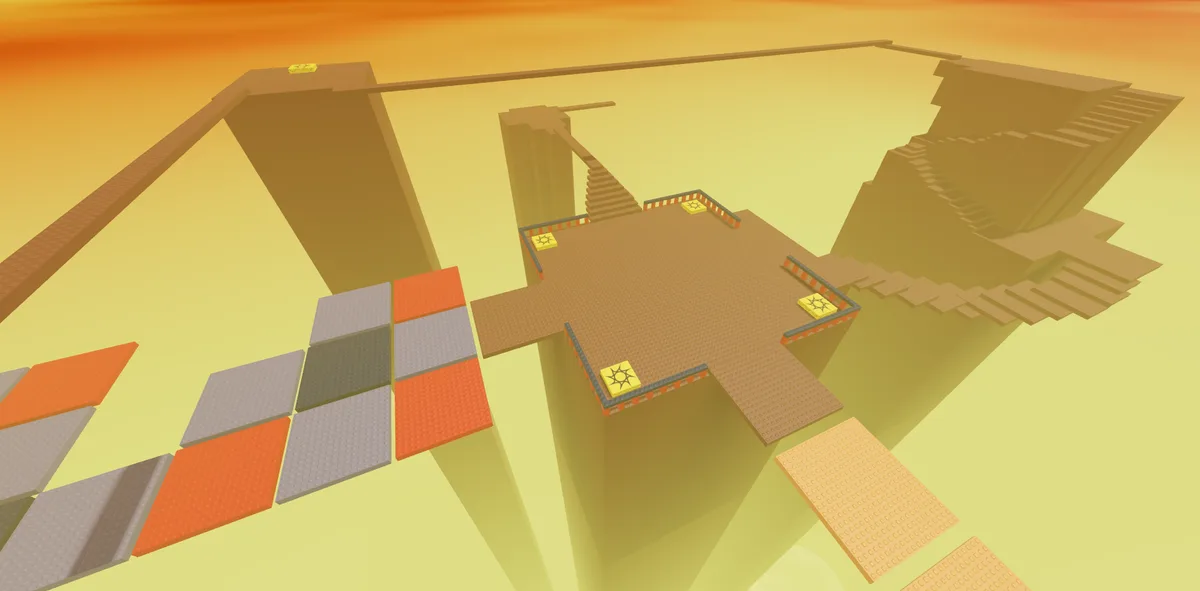
In-game view of SFOTH in Forsaken. Image: Forsaken (Roblox) © Forsaken Dev Group, via the Official Forsaken Wiki (forsaken.wiki).
Final Thoughts
A Forsaken private server is the most overlooked tool in the game in 2026. It is free, it is built into the official Roblox client, it carries no risk if you use the legitimate feature, and it gives you a controlled lab for everything from map learning to community events. The trade-off is that not everything inside a private server credits the same way public play does, streak badges, ranked leaderboards, and full XP all favor public lobbies. Use the right tool for the job: private servers for learning, testing, and hanging out, and public matches for ranking and milestones. If you want to go deeper on the two adjacent topics, the codes page and the badges guide cover them in depth.
- • Forsaken private servers are a Roblox-platform feature, not a third-party tool or hack.
- • The free private server tier is the standard option in 2026, claim it from the experience page.
- • Owner-only commands like /spawnkiller, /spawnsurvivor, /map, and /vip drive most of the value.
- • Streak badges, ranked leaderboards, and some XP do not credit fully inside private servers.
- • Voice chat works in Forsaken private servers if you are 13+ and Roblox-verified.
- • Use private servers for practice, testing, and onboarding; use public matches for ranking and milestones.
Claim your free private server from the Forsaken experience page; join links for community servers are shared in the official Discord, and the badge and Player Points rules are covered above.
Related Forsaken Guides
Forsaken Game Mechanics Guide 2026 - Timer, Generators & Items
Complete guide to every Forsaken game mechanic: eliminations, cover, windows, generators, stamina, skill checks, the round timer, and win conditions explained.
Forsaken Controls & Keybinds Guide - PC, Mobile & Console (2026)
Complete Forsaken controls guide for PC, mobile, and console. All keybinds, button layouts, and custom settings to optimize your gameplay.
Best Forsaken Settings 2026 - FPS Boost, Lag Fix & System Requirements
Optimize Forsaken with the best settings for maximum FPS. Fix lag, reduce stuttering, and meet system requirements. Works on low-end PC and mobile.
What Is Forsaken Roblox? Complete Game Overview & Why It's Popular (2026)
Everything you need to know about Forsaken on Roblox. Game overview, how it works, player count, features, and why millions play this asymmetrical horror game.
Forsaken FAQ 2026: 50 Real Questions Answered (Maps, Killers, Match)
50 real Forsaken questions answered in 2026: how many maps, slowest killer, biggest map, basement location, private server badges, match length, and 45 more.
Back to the ForsakenHub homepage for the full Forsaken Roblox guide hub, or browse all guides. You can also play the game directly on Forsaken on Roblox.